
• Live Crypto Prices
  • Crypto News
    • Worldwide
      • Bitcoin
      • Ethereum
      • Altcoin
      • Blockchain
      • Regulation
    • Australian Crypto News
  • Education
    • Cryptocurrency For Beginners
    • Where to Buy Cryptocurrency
    • Where to Store Cryptos
    • Cryptocurrency Tax in Australia 2021
No Result
View All Result
CryptoABC.net
No Result
View All Result

Integrating USDC Payments with Wagmi and Programmable Wallets

August 17, 2024
in Blockchain
Reading Time: 2min read
0 0
A A
0
XDEFI Integrates Circle’s CCTP to Enhance USDC Cross-Chain Swaps
0
SHARES
10
VIEWS
ShareShareShareShareShare


Peter Zhang
Aug 17, 2024 11:28

Learn how to integrate USDC payments into your e-commerce platform using Wagmi and Circle’s Programmable Wallets for seamless and instant transactions.


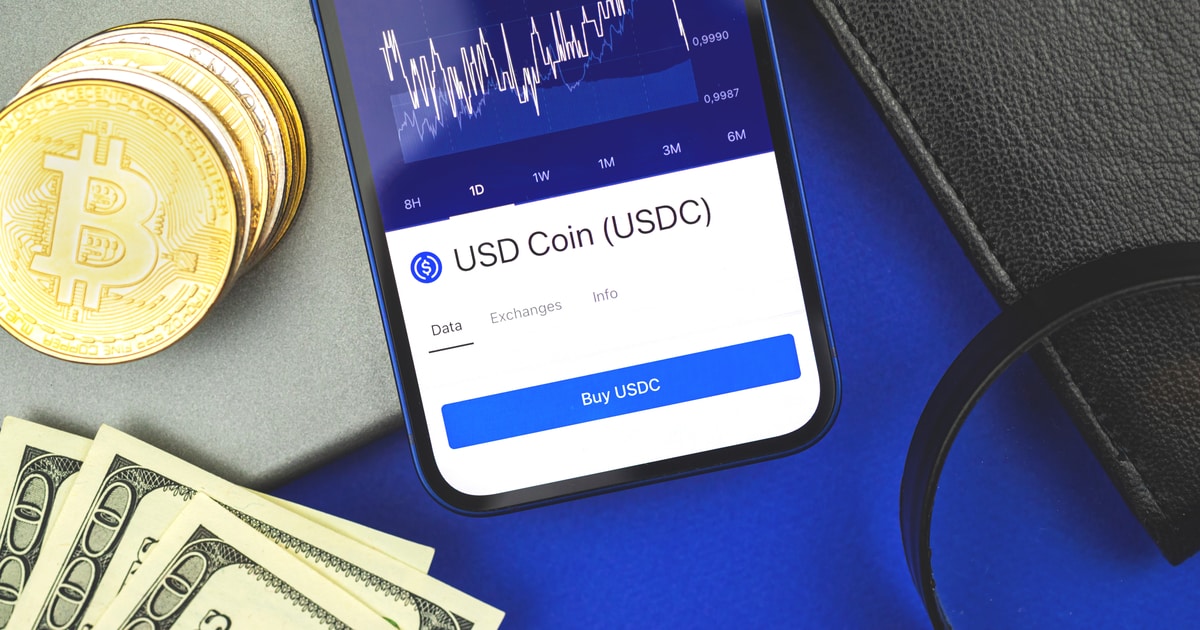
In the rapidly evolving world of e-commerce, providing a seamless payment experience is crucial for both merchants and customers. According to Circle, integrating USD Coin (USDC) payments can offer a globally accessible alternative payment method for online stores, accelerating cash flow with near-instant settlement.

How It Works

When a customer initiates a payment, they connect their wallet and send USDC directly to a wallet address created specifically for the business using Programmable Wallets. This wallet is generated automatically through a script, ensuring every transaction is secure and organized.

Step-by-Step Integration

Step 1: Create a New Wagmi Project

To start, build the front-end by creating a new Wagmi project using TypeScript. Open your terminal and run the command:

npm create wagmi@latest

This will scaffold a new Wagmi project with the necessary configurations.

Step 2: Install Required Dependencies

Navigate to your project directory and install the required dependencies by running:

npm install

Step 3: Configure Your Project Files

Set up the necessary files in your project folder structure. Start by creating a `config` folder in the parent directory and then move and modify the `wagmi.ts` file accordingly.

Step 4: Create Components

In your project directory, create a components folder and add the following files:

  • PayButton.tsx: This will handle the payment button functionality.
  • ProductCard.tsx: This will display the product details.

Step 5: Create the Landing Page

Create a new file named `page.tsx` in the src/pages directory to import and render the ProductCard component, providing a user interface for customers.

Step 6: Add External API Calls

Utilize Programmable Wallets by creating a new file named `createWallet.js` in the src/pages/api directory. This will handle external API calls for creating a wallet.

Step 7: Configure Environment Variables

Create a .env file in the root of your project and add your Circle Web3 Services credentials:

CIRCLE_API_KEY=
CIRCLE_ENTITY_SECRET=

Step 8: Run the Application

Start the development server with the following command:

npm run dev

Step 9: Access the Application

Open your browser and navigate to http://localhost:3000 to see your application in action.

Conclusion

Circle’s Programmable Wallets simplify the process of embedding wallet functionality into applications, making it easy to accept USDC as a payment method for businesses. By leveraging the createWallet.js script and the PayButton.tsx component, merchants can offer seamless payment experiences for global customers with near-instant settlement.

Image source: Shutterstock


Credit: Source link

ShareTweetSendPinShare
Previous Post

Bitcoin Spot-Perpetual Gap Points to Continued Selling Pressure

Next Post

Trader Says Bitcoin Could Crash by Nearly 20% if Major Support Level Fails, Updates Outlook on Ethereum and Aave

Next Post
Trader Says Bitcoin Could Crash by Nearly 20% if Major Support Level Fails, Updates Outlook on Ethereum and Aave

Trader Says Bitcoin Could Crash by Nearly 20% if Major Support Level Fails, Updates Outlook on Ethereum and Aave

You might also like

Altcoins Approach Historic Stress Levels as 38% of Tokens Near All-Time Lows

Altcoins Approach Historic Stress Levels as 38% of Tokens Near All-Time Lows

March 10, 2026
Solana Price Prediction: $1.5 Billion Floods Solana ETFs Despite the Crash — What Do Big Investors See?

Solana Price Prediction: $1.5 Billion Floods Solana ETFs Despite the Crash — What Do Big Investors See?

March 6, 2026
Vitalik Buterin Says Ethereum Should Be Bolder, Here’s Why

Vitalik Buterin Says Ethereum Should Be Bolder, Here’s Why

March 7, 2026
VeChain Foundation Releases Q1 2024 Treasury Report

ElevenLabs Exits Beta With 28-Language AI Voice Model After $11B Valuation

March 6, 2026
Bitcoin At The Bottom? The 23-Month Cycle That Has Never Failed

Bitcoin At The Bottom? The 23-Month Cycle That Has Never Failed

March 9, 2026
Bitcoin Holds Above $70,000 Amid Strong ETF Inflows – But Whales Are Focused on This Layer 2 Presale

Bitcoin Holds Above $70,000 Amid Strong ETF Inflows – But Whales Are Focused on This Layer 2 Presale

March 6, 2026
CryptoABC.net

This is an Australian online news/education portal that aims to provide the latest crypto news, real-time updates, education and reviews within Australia and around the world. Feel free to get in touch with us!

What's New Here!

Ethereum Price Rejected Again, Market Watches Key Support Closely

Ethereum Price Rejected Again, Market Watches Key Support Closely

March 11, 2026
UK FCA Clears Binance, Saying Exchange Has Complied with its Demands

BNB Holders Earned 177% Returns Over 15 Months Through Stacking Rewards

March 11, 2026

Subscribe Now

  • Contact Us
  • Privacy Policy
  • Terms of Use
  • DMCA

© 2021 cryptoabc.net - All rights reserved!

No Result
View All Result
  • Live Crypto Prices
  • Crypto News
    • Worldwide
      • Bitcoin
      • Ethereum
      • Altcoin
      • Blockchain
      • Regulation
    • Australian Crypto News
  • Education
    • Cryptocurrency For Beginners
    • Where to Buy Cryptocurrency
    • Where to Store Cryptos
    • Cryptocurrency Tax in Australia 2021

© 2021 cryptoabc.net - All rights reserved!

Welcome Back!

Login to your account below

Forgotten Password?

Create New Account!

Fill the forms below to register

All fields are required. Log In

Retrieve your password

Please enter your username or email address to reset your password.

Log In
Please enter CoinGecko Free Api Key to get this plugin works.